Posts Tagged ‘Photography


03
Mar
16

Olympus InVision Photo Festival (part 2 of 2)

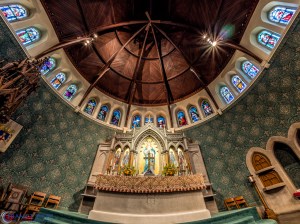
The images from the previous Olympus InVision Photo Festival post were mostly from the Sunday workshop. Here are a few more from the Southside of Bethlehem. The following images were taken at the Book Store, Machine Shop and the Cathedral Church of the Nativity:

20151108-_B081171-Edit

20151108-_B081177-Edit-Edit20151108-_B081185-Edit


20151108-_B081216-Edit20151108-_B081193-Edit


20151108-_B081289-Edit

20151108-_B081239-Edit

20151108-_B081038-Edit-Edit

20151108-_B081029-Edit-Edit20151108-_B081011-HDR-Edit


02
Mar
16

Olympus InVision Photo Festival (part 1 of 2)

Every November, ArtsQuest puts on the Olympus Invision Photo Festival. The event is focused 100% around photography. There are presentations, social activities, and workshops throughout the weekend event. Here are a few images from the event:

20151109-_B091452


Light Painting on the Hoover Mason Trestle

Light Painting on the Hoover Mason Trestle

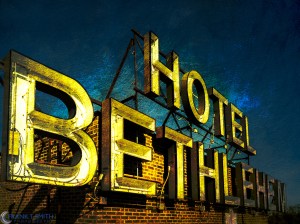
The roof of the Hotel Bethlehem

20151108-_B081052-Pano-Edit

20151108-_B081071-Edit20151108-_B081059-Edit

The SmithyΒ 

20151108-PB081132

20151108-PB081137-Edit

17
Feb
16

Five Below

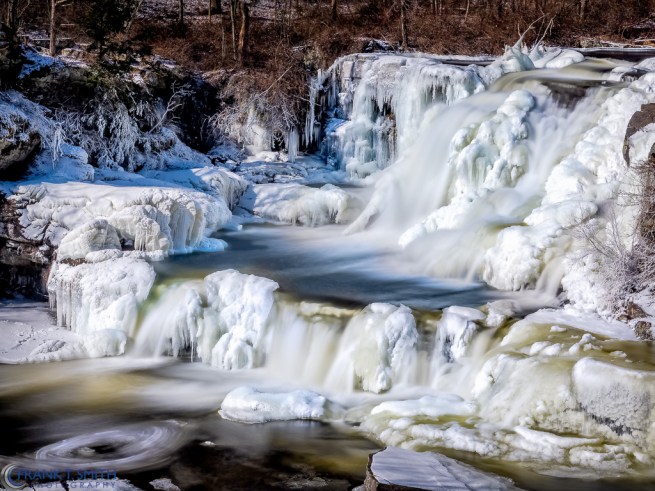
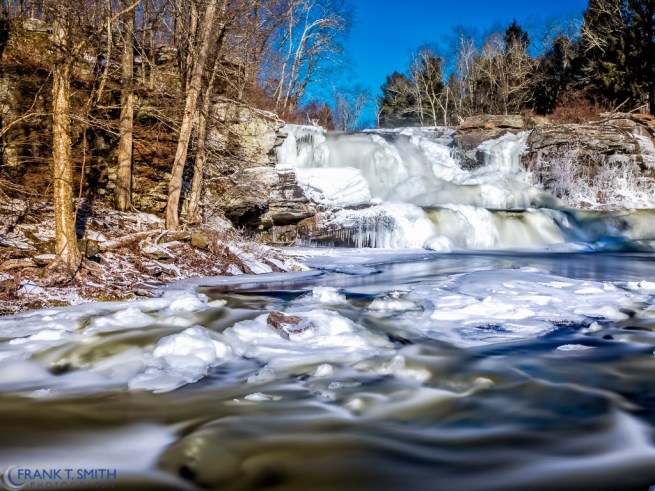
This past weekend I had it in my head that I wanted to photograph some waterfalls in the Pocono region of Pennsylvania. The main reason I wanted to do this at this time frame, was because it would probably be the coldest weekend of the entire year,Β whichΒ should make for some great imagery. In that regard, I think I was right on target. I reached out to fellow photog from the area, Eric Goins. He was kind enough to recommend Resica Falls. It is a Boy Scout camp I had been to many years ago with my sons. When I arrived, it was a balmy -5 degrees Fahrenheit. I wasn’t sure if my equipment or periodically exposed hands would endure. I’m happy to report, both performed very well. Β I used the Olympus OM-D E-M5 Mark II and theΒ M.Zuiko ED 12-40mm f2.8 PRO with a 10 stop ND filter. After a couple of hours I knew I shouldn’t push the boundaries too much further. I headed out and treated myself to a much deserved hot chocolate. BTW – As I was leaving the temperature made it up to a warm +3 degrees. So, when someone says No-pain No-gain, I have an even better appreciation for that!

20160214-_2141502-Edit-Edit

20160214-_2141446-Edit-Edit

20160214-_2141433-Edit-Edit

15
Feb
16

Simon Mulligan Trio

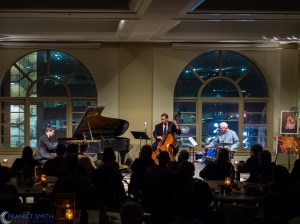
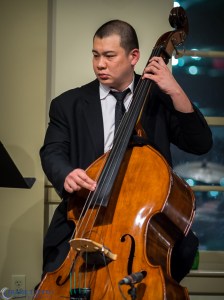
Last year, around this time, I had the opportunity to listen and photograph this amazing trio at the Jazz Cabaret upstairs from the Miller Symphony Hall in Allentown PA.Β Acclaimed pianist Simon Mulligan has played with everyone from The Royal Philharmonic to Sting. Mr. Mulligan returns to Allentown for an evening of standards, jazz classics, and original music from his CD “Playlist.” Joining Simon will be bassist Gene Perla, who has performed with Elvin Jones, Sarah Vaughan, Nina Simone, Sonny Rollins, and other jazz luminaries. Rounding out the rhythm section will be my good friend, Dave Willard on drums. Expect to hear the Simon Mulligan Trio’s sophisticated take on your favorite timeless melodies and Simon’s own compositions. They will be playing again this Friday, February 19th at 7:30PM. For more info and tickets click here. The following are images from last year’s performance and were shot with the Olympus OM-D E-M1.


20150220-_2200371


20150220-_220048620150220-_2200278


20150220-_220033420150220-_2200549


20150220-_2200461

11
Feb
16

Delaware Water Gap National Recreation Area

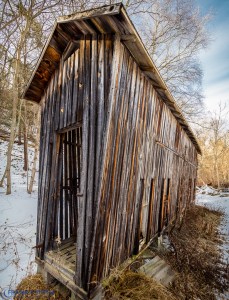
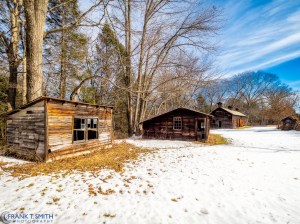
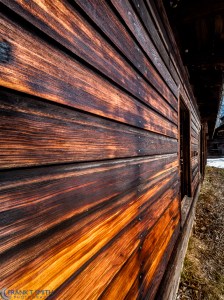
This is an area that I have photographed in the past. It’s know as the Zimmerman Farm. However, it’s been several years since I traveled back to this area. I shot these images shortly after the last snow storm we had. The area is still as I remember it. All of the images were shot with the Olympus OM-D E-M5 Mark II. Mother nature was more than cooperative this day. The light was beautiful and the textures on the buildings were amazing.

20160130-_1300900-Edit-Edit


20160130-P130091520160130-_1300924


20160130-_130096420160130-_1300983


20160130-_1301061-Edit20160130-_1301019-Edit-Edit


20160130-_1301073-Edit20160130-_1301033-Edit


20160130-_1301006

02
Feb
16

After the Storm

Last week we had a storm here in the North East of epic proportion. In our area we had in excess of 31 inches. We set a record snowfall, based on a 24 hour period. I wanted to get up to the Poconos to photograph in some areas I had been to in the past, but not in the winter months. I wasn’t sure what to expect since they received slightly less snow than we did. I was greeted with some beautiful weather and as such, some amazing landscapes. The following images were shot with long exposures to create the milky effect in the moving water. In all cases, the camera I used was the Olympus OM-D E-M5 Mark II.

20160130-_1300862-Edit


20160130-_1300837


23
Jan
16

The Power Lens

For the past week I have had the opportunity to check out Olympus’s newest lens. TheΒ M.Zuiko ED 300mm f4.0 IS PRO. This thing is absolutely amazing and probably one of the SHARPESTΒ lenses I have ever used. Not only is it tact sharp, but it’s incredibly FAST. All of the following images were taken with the 300mm and in a couple cases, I also added theΒ M.Zuiko Digital 1.4x Teleconverter MC-14Β . Because of the Olympus sensor, the focal lengths are 600mm & 840mm equivalent. This lens has built-in image stabilization and when used in tandem with the 5 axis in-body image stabilization of theΒ OM-D series cameras itΒ creates 6 steps of shutter compensation. Everyone of these images were handheld.

20160117-_1171204-Edit


20160116-_1160922-Edit20160116-_1160897-Edit


20160116-_116073120160116-_1160739


20160116-_1160986-Edit20160116-_1161031-Edit


20160116-_1160997-Edit20160116-_1161018-Edit


20160116-_1161047-Edit20160116-_1161119-Edit


20160116-_116062620160119-_1191495


20160119-_1191515-Edit

21
Jan
16

Focus Bracketing/Stacking

Olympus continues to beΒ a pioneer with some of theirΒ latest technology advances. With theirΒ most recent firmware upgrades for the OM-D series cameras, we are now able to create images with a significantly greater depth of field through the use of Focus Bracketing & Focus Stacking. There is an option to create “in-camera” results (Focus Stacking) and also through the post processing processes (Focus Bracketing). BracketingΒ has always been an option in the past. However, it was extremely time consuming and required many manual focus steps, along with a lot of trial & error and guess work.

2015-12-30 18-46-40 (B,Radius25,Smoothing4)-Edit


The process I use to accomplishΒ Bracketing and StackingΒ results are as follows:

  • “Focus Stacking” a.k.a. In-camera processing
    • Select the front most portion of your image that you want clear and use that as your focus point. Use a tripod or something to stabilize the camera.
    • Go to the camera “menu” and select “Shooting Menu 2” & “Bracketing”. Click “On” and proceed to “Focus BKT”. Now select “Focus Stacking” & select”On”.
    • Next select the “Set focus differential”. You have a step range from 1 (Narrow) to 10 (Wide).Β A focus step refers to the amount of focus movement where 1 is the smallest setting. When shooting at the widest aperture value, I would recommend using smaller focus step 1 or 2. Your selection will depend on your subject matter, aperture setting, distance, etc.
    • After you have these settings in place make sure you hit OK all the way through.
    • At this point you are ready to hit the shutter release (Tip: I would recommend using a cable release so as to not bump the camera).
    • The camera will process a JPEGΒ image and at this point you can now see the preview.

Below is an example of an in-camera Focus Stacked image using this process along side of a single non stacked image. The differential is quite amazing. Click on the images to see the full view.

Focus Stacked
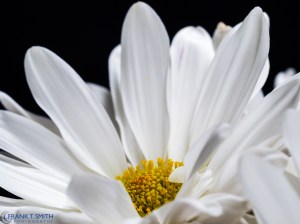
Focus Stacked

Non-Focus Stacked

Non-Focus Stacked


  • “Focus Bracketing” Requires 3rd party post-processing software
    • Select the front most portion of your image that you want clear and use that as your focus point. Use a tripod or something to stabilize the camera.
    • Go to the camera “menu” and select “Shooting Menu 2” & “Bracketing”. Click “On” and proceed to “Focus BKT”. Now select “Focus Stacking Off”
    • Select “Set number of shots”. You can select up to 999 shots. I have found that anything between 10 and 60 shots work well.
    • Next select the “Set focus differential”. You have a step range from 1 (Narrow) to 10 (Wide). A focus step refers to the amount of focus movement where 1 is the smallest setting. When shooting at the widest aperture value, I would recommend using smaller focus step 1 or 2. Your selection will depend on your subject matter, aperture setting, distance, etc.
    • After you have these settings in place make sure you hit OK all the way through.
    • At this point you are ready to hit the shutter release (Tip: I would recommend using a cable release so as to not bump the camera).
    • Now you have to take the images into a program like Photoshop or HeliconFocus (I have had good success with HeliconFocus). After you merge the images, you can perform your normal edits.

Below are two series of images where I used this process. The first image is the processed bracketedΒ image and the second one is a single non-bracketed image.
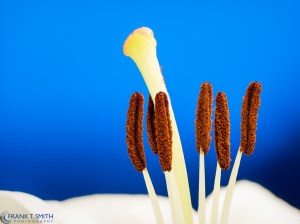
Bracketed
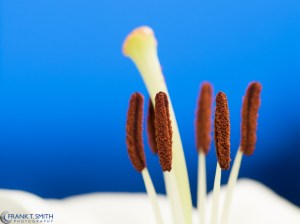
Bracketed

Non-bracketed

Non-bracketed


Bracketed

Bracketed

Non-bracketed

Non-bracketed


In all casesΒ it will require experimenting with various settings. All of the images were shot with the Olympus OM-D E-M1 and the 60mm f2.8 macro lens.




12
Jan
16

Washington Memorial Chapel

Last weekend during my visit to Valley Forge we stopped by the Washington Memorial Chapel which is located within the Valley Forge National Historical Park. The Images were shot with the Olympus OM-D E-M5 Mk II using the 7-14mm f2.8 PRO lens. The inside shots were handheld at 1/20 of a second at ISO 3200.
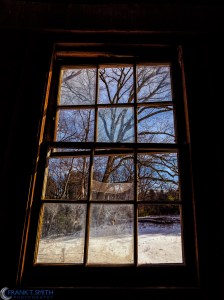
The Chapel was built in 1903 to serve two purposes. The first purpose is as a tribute to George Washington and his service to our country. It currently serves as a wayside chapel for the visitors of Valley Forge National Historical Park. The second purpose is as the home for the Episcopal parish that worships at the chapel.

The chapel is constructed in an impressive Gothic Revival style with a Bell Tower. The Bell Tower houses the Justice Bell, a replica of the Liberty Bell, which was used in the campaign to gain women’s voting rights. The Veterans Wall of Honor honors all veterans of the United States Armed Services.

20160101-_1010480-Edit.jpg


20160101-_1010557-Edit


20160101-_1010495-Edit

10
Jan
16

Jacobsburg State Park

Last week I visited Jacobsburg State Park located near Wind Gap in Bushkill Township, Northampton County, PA. This was my first visit to this 1,168 acre park. There are 18.5 miles of trails. The flora, even at this time of the year was amazing. All of the images were shot with the Olympus OM-D E-M10 Mark II and a combination of the 7-14mm & 12-40mm f2.8 PRO lenses.

20160102-_1020208-Edit


20160102-_102027220160102-_1020196-Edit


2016-01-02 22-28-24 (B,Radius25,Smoothing5)-Edit20160102-_1020284-Edit


Follow Frank's Photography Blog on WordPress.com

Enter your email address to follow this blog and receive notifications of new posts by email.

Join 2,288 other subscribers
February 2026
M T W T F S S
 1
2345678
9101112131415
16171819202122
232425262728  

My Blog

Thank you for viewing my blog.